Wiki › The cursor and the block highlight
The cursor and the block highlight
Your pointer is yours to set. Settings (O) > Interface > Cursor changes how it looks over the open world, in towns and on floors, and the box round the block you are about to place or dig. A small preview beside the rows shows it as you go, and everything is kept in this browser.
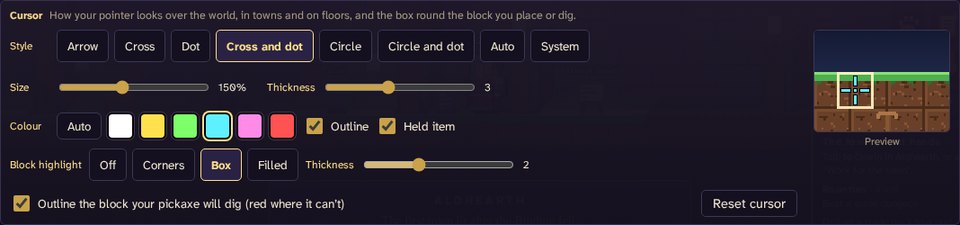
The pointer
- Style: Arrow (the pointer as it always was, and the one you start with), Cross, Dot, Cross and dot, Circle, Circle and dot, Auto or System.
- Auto picks by what is in your hand: an arrow for tools, a cross for weapons and wands, a circle for what you throw (bombs, charges and flasks).
- System is your computer's own pointer: it never lags behind the mouse, and the game draws nothing of its own.
- Size: small to big, 50 % to 300 %. The thing in your hand beside it grows with it.
- Thickness: slim to fat, 1 to 6. A fat arrow is a broad one; a fat cross, circle or dot is a heavy one.
- Colour: Auto is gold, salmon with a ring round it over a Grown, and blue over someone you can right click (in a town, anyone or anything you can talk to or use), so the colour is never the only sign. Or pick white, yellow, green, cyan, pink or red and it stays that colour.
- Outline: a thin dark edge, so the pointer shows on snow and on sky alike.
- Held item: what you hold, drawn beside the pointer, crisp at every size. It is a little bigger than it used to be; turn it off if you would rather not see it.
The pointer is drawn over everything now: damage numbers, names and the tutorial's hand no longer cover it. It is the same in the open world, in towns (where it says talk or use over people and stations) and on dungeon floors.
The block highlight
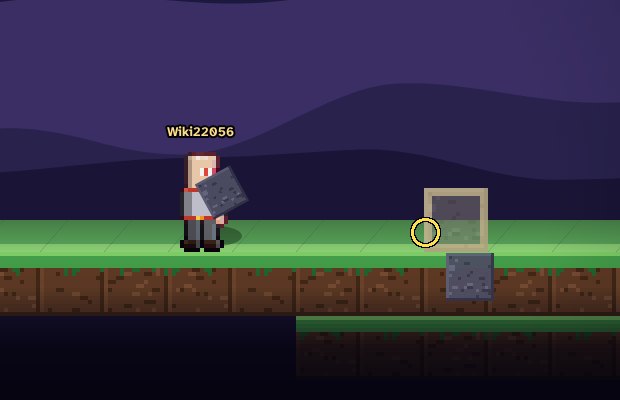
The box round every ghost of what you are about to place (blocks, doors, elevators, back walls, ember parts), the tile a bucket or a flask will scoop or pour, and the area an area pick will take is Off, Corners, Box (as it always was) or Filled, with a Thickness of its own from 1 to 4.
The block you will dig
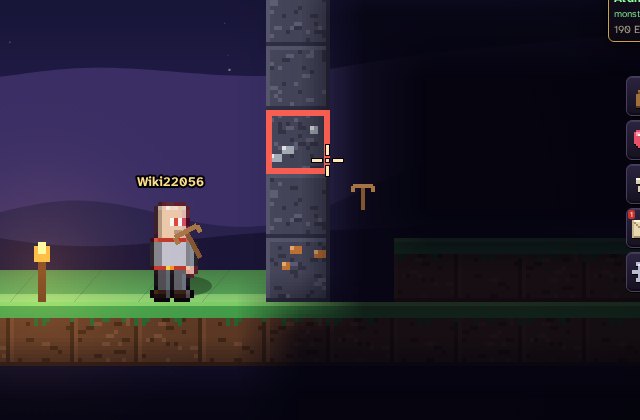
Holding a pickaxe, the block a swing would dig is boxed before you swing; past a wall of rock it is the first block in the way. It turns red where your pickaxe can't dig it: ore that needs a better pickaxe, a block that is not yours to break, or any pickaxe that is broken. Turn it off in the same row of the settings.
On a phone
There is no pointer on a phone, so only the Block highlight rows show. The box shows on the block ACTION will dig or place (in front of you; tilt the stick up or down for above or below), and round a door's ghost.
Reset cursor puts it all back.
Effects is in Settings (O) > Graphics: Effects and animation.